Customer Portal Software: Build a Self-Service Experience
June 3, 2026
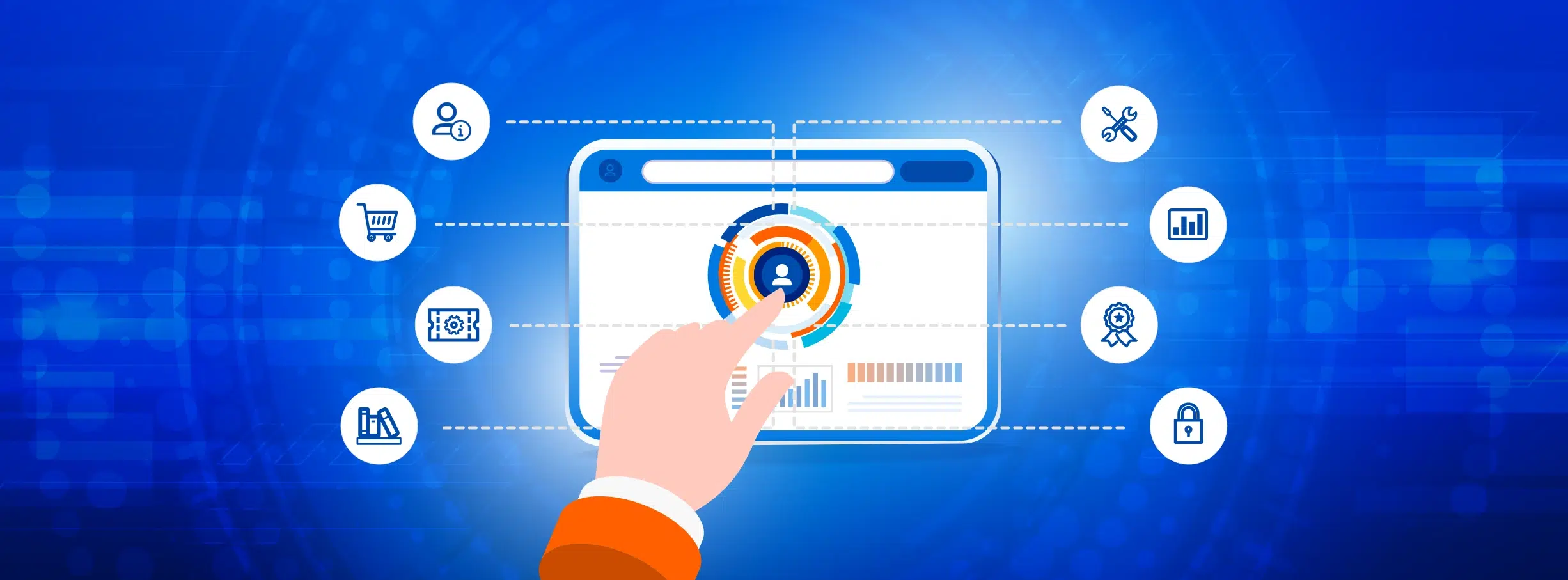
Customer portal software is a secure, self-service application where your customers log in to manage their account, track orders or service requests, access billing and usage data, find answers in your knowledge base, and resolve issues without calling your team. The best customer portals combine unlimited users and deep self-service so you scale customer experience without scaling headcount.
Best for: B2C SaaS, e-commerce, subscription businesses, utilities, telecom, financial services, healthcare providers and insurance carriers that need a white-labeled self-service portal built to scale from thousands to millions of customers without per-seat licensing.
A customer portal is not a ticket form with a login. It is the digital front door to your business. Done well, it absorbs the work that used to fill your support queue. Done poorly, it is another login your customers avoid.
For companies serving large customer bases, a portal becomes more than a support tool. It becomes part of the overall customer experience, bringing together account management, service workflows and communication within a single environment.
What Is Customer Portal Software?
A customer portal is a secure web application where end customers log in to manage their relationship with your business.
Depending on the organization, that can include viewing orders, updating account details, submitting support requests, accessing invoices or tracking subscriptions and service usage. The goal is to provide a self-service experience that reduces friction for customers while improving operational efficiency internally.
Its primary capabilities include:
- Account management (profile, payment methods, security settings)
- Order and service history (purchases, subscriptions, shipment tracking)
- Support tickets (structured intake, status updates, resolution history)
- Knowledge base (searchable self-help articles, guides, videos)
- Billing and invoices (statements, payments, receipts)
- Usage dashboards (real-time consumption, plan utilization, meter readings)
- Service requests (claims, returns, warranty, renewals)
- Loyalty and rewards (points, tiers, redemptions)
- Communication preferences (notifications, consent, opt-ins)
Who uses it? Customer portals are widely used across SaaS, e-commerce, utilities, telecom, healthcare, financial services and subscription-based businesses, particularly those supporting large customer volumes.
A well-designed portal helps customers resolve issues independently and access information without needing direct support interaction.
Where Traditional Customer Portals Create Friction
Many organizations begin with support-focused platforms such as Salesforce Experience Cloud, Zendesk, HubSpot Service Hub or Freshdesk. These tools handle ticket management and knowledge bases well, but limitations emerge as customer expectations and operational complexity grow.
Per-member pricing breaks the math. Salesforce Experience Cloud’s Customer Community runs $5 per member per month, Customer Community Plus is $15. Zendesk Suite is $55-$169 per agent. HubSpot Service Hub Professional is $100+ per seat. For a business with 10,000 active customers, a $15/member portal is $1.8 million per year. For 100,000 customers, $18 million. At some point, the portal costs more than the customer is worth.
Self-service stops at “knowledge base + ticket.” Off-the-shelf portals publish help articles and accept tickets well. Account management, usage dashboards, ERP-backed order history, and custom intake specific to your business require development work, marketplace apps, or a separate system.
Your portal still feels like the vendor’s product. Custom domains are supported. You can host a Zendesk help center at support.yourcompany.com or connect a custom domain to a HubSpot customer portal, but the templates, navigation, and interaction patterns remain recognizably Zendesk, HubSpot, or Salesforce. Customers crossing from your main site into the portal land in a different-looking environment. And the agent/admin side stays on the vendor’s subdomain regardless.
Custom workflows require developer time. Routing a warranty claim from parts to scheduling to a technician to billing means Apex in Salesforce, triggers and marketplace apps in Zendesk, or a consultant either way. “No-code” branding only covers the shallow end.
Rigid UI. You can reskin templates. But you cannot restructure them to match a product-led onboarding flow or a usage-first dashboard.
More often than not, these challenges drive businesses to consider a more versatile strategy for customer self-service.
What Customers Expect From Modern Self-Service
Today’s customer portals are expected to support more than support tickets and FAQs. Businesses increasingly need systems that combine security, self-service and operational flexibility within a single experience.
Key considerations include:
- Secure login with optional SSO — username/password and SAML for enterprise buyers on corporate identity providers
- Record-level security — customer A sees only their records, enforced at the platform layer
- Self-service account management — profile, payment methods, password resets, plan changes, cancellations
- Real-time order and service history — pulled live from your commerce, billing or service system
- Support tickets — structured forms with conditional logic, auto-updated status, resolution history
- Knowledge base surfacing — articles at the point of need with search that actually works
- Billing and invoices — downloadable statements, payment history, autopay, payment processing
- Usage dashboards — real-time consumption, meter readings, plan utilization
- Custom intake — claims, returns, warranty, renewals and anything unique to your business
- White-labeling on your domain — your logo, colors, URL, no visible third-party branding
- Mobile-responsive — a portal customers can easily use from their phone
- API integrations — CRM, billing, ERP, identity, communications
- Unlimited users — at customer scale, per-seat pricing is a structural disqualifier
Caspio: A More Flexible Approach to Customer Portals
Caspio is the no-code customer portal builder for organizations that need more than what off-the-shelf tools offer. Instead of forcing your customers into someone else’s self-service experience, you build the one your business needs.
Best fit for Caspio-built customer portals: Organizations outgrowing off-the-shelf tools that need record-level security, embeddable deployment on their own domain, and flat pricing at any customer volume.
Here’s what Caspio offers:
- Embeddable apps and components. Caspio applications can be embedded directly into an organization’s website or customer environment. This allows businesses to maintain a consistent brand experience without redirecting customers to third-party domains.
- Enterprise-grade security. Caspio enforces data isolation at the platform level with built-in record level security. This means customers see only their records across every table, report and dashboard. An architectural guarantee, not a per-page setting the next admin might forget.
- Support for high customer volumes. Caspio does NOT charge per user. Whether supporting thousands or millions of customers, pricing remains independent of customer count, helping organizations avoid escalating portal costs as adoption grows.
- 10,000 customers x $15/member/month (Salesforce Customer Community Plus) = $1.8 million per year
- 10,000 customers x $5/member/month (Salesforce Customer Community) = $600,000 per year
- Caspio enterprise tier: fixed subscription price with unlimited users. At customer scale, this is the difference between a portal that pays for itself and one that never will.
- Self-service breadth, not just tickets. Customer portals built on Caspio can support account management, billing access, usage dashboards, claims processing, service requests and knowledge base experiences within a single system.
- Custom workflows without custom code. Triggered actions handle status changes, notifications, approvals, escalations, and multi-step routing. When a customer files a claim, the right team gets notified, the SLA clock starts and the customer sees updates in real-time.
- SAML-in and SAML-out (on select plans). Enterprise customers log in with their corporate identity provider. SAML-in for SSO into the portal, SAML-out for downstream systems. Availability varies by plan.
- End-to-end compliance. Caspio is independently certified annually for HIPAA and SOC 2 Type II. For organizations managing sensitive customer information, this supports compliance and audit-readiness requirements. See compliance page.
- Extensive AI capabilities. Caspio includes built-in AI functionality through OpenAI GPT, which can help categorize support requests, summarize communications and enrich portal records. The Caspio MCP Server enables natural-language access to portal data through AI assistants like Claude and ChatGPT, while the AI Assistant helps accelerate development by generating database structures and workflows from plain-language prompts.
- Integrations. REST APIs, webhooks and integrations with platforms such as Zapier, Make, and n8n allow portals to connect with CRM, ERP, billing and communication systems. For healthcare, Caspio integrates with Keragon across 300+ HIPAA-compliant tools.
- 24/7 human support. Talk to real Caspio support specialists around the clock for technical guidance and troubleshooting. No chatbots.
- Professional Services and partner network. They can handle migrations from Salesforce, Zendesk, HubSpot, Freshdesk, or legacy portals, and build complex custom flows when your team is stretched.
- Pricing from $300/month. 14-day free trial. No free plan, no per-user fees. See pricing.
Customer Portal in Action: How Roost Consolidated Customer Data
What does a more centralized customer experience operation look like? Roost built a single platform for customer and partner data using Caspio.

Problem
Roost, a home telematics company, managed customer and partner data across disconnected systems, including Dropbox CSVs, SurveyMonkey exports and partner-supplied spreadsheets. Answering partner questions or generating reports often required support from engineering, slowing down day-to-day operations for the customer experience team.
Solution
Using Caspio, Roost built a centralized customer-facing data application that consolidated information from multiple sources into a single platform. The system gave business users direct access to customer and partner data while improving visibility across its B2B2C operations.
Result
The application reduced reliance on engineering for routine reporting and customer data requests, allowing the customer experience team to respond more quickly and manage information more independently.
Read the full story here.
Customer Portal Software Comparison
How does Caspio stack up against the leading customer portal and service tools? Here is a side-by-side look at the capabilities that matter when your customer base is in the thousands or millions, not the dozens.
| Feature | Caspio | Salesforce Experience Cloud | Zendesk | HubSpot Service Hub | Freshdesk |
|---|---|---|---|---|---|
| Unlimited Users | Yes, all plans. Flat pricing. | No. $5-$15 per member/month (Customer Community / Plus) | No. Agent seats $55-$169/month. Customer logins free. | No. $100+/seat/month for Service Hub Professional. | No. Agent seats $15-$89/month. |
| Record-Level Security | Built-in at the platform layer | Yes, via sharing rules and role hierarchy | Ticket-level visibility only | Ticket-level visibility; object sharing requires Enterprise | Ticket-level visibility |
| White-Label / Embed on Your Domain | Yes. Native embed on your domain. | Branded subdomain; full custom domain available | Hosted on yourcompany.zendesk.com | Hosted on HubSpot subdomain by default | Branded, but hosted on Freshdesk subdomain by default |
| SAML SSO | SAML-in and SAML-out (on select plans) | Yes (Enterprise) | Yes (Professional+) | Yes (Enterprise) | Yes (Pro+) |
| HIPAA / SOC 2 Type II | Both, independently certified annually | HIPAA via BAA (Enterprise / Health Cloud); SOC 2 Type II | HIPAA via Advanced Data Privacy add-on (Enterprise); SOC 2 Type II | HIPAA on Enterprise tier (Sensitive Data settings); SOC 2 Type II | HIPAA limited; SOC 2 Type II |
| Custom Workflows Beyond Tickets | Yes. Triggered actions, no code. | Yes, but requires Apex or consultant | Limited to tickets, triggers, macros | Limited to tickets and CRM objects | Limited to tickets and workflows |
| Self-Service Beyond Support | Yes, native. Build any portal module. | Yes, but per-member pricing applies | Primarily support; account self-service requires add-ons | Ticket + knowledge base; deeper self-service via CRM add-ons | Ticket + knowledge base; limited beyond support |
| AI Capabilities | AI Extension (OpenAI GPT), MCP Server, AI Assistant | Einstein (add-on licensing) | Zendesk AI (add-on) | Breeze AI (tier-dependent) | Freddy AI (add-on) |
| 24/7 Human Support | Yes, all plans | Tier-dependent; premier support extra | Tier-dependent | Tier-dependent | Tier-dependent |
| Starting Price | $300/month, unlimited users | $5/member/month (Customer Community) | $55/agent/month (Suite Team) | $100+/seat/month (Professional) | $15/agent/month (Growth) |
Where Caspio wins. Caspio is the only platform here that combines unlimited users, embeddable deployment on your own domain, record level security, annually audited SOC 2 Type II with HIPAA-compliant infrastructure, and fully custom workflows beyond support tickets, without per-user pricing or developer overhead.
Salesforce Experience Cloud is powerful but per-member pricing makes it cost-prohibitive at customer scale. Zendesk, Freshdesk, and HubSpot Service Hub are support tools first and customer portals second, meaning account management, usage dashboards, and custom intake require add-ons or separate systems. For organizations that need one platform for the full self-service experience at any customer volume, Caspio stands alone.
Frequently Asked Questions
Ready to create a more scalable customer self-service experience? Start with these common questions.
What is customer portal software?
Customer portal software is the web application your end customers log into for self-service. Core capabilities include account management, billing and payment history, order and service tracking, usage dashboards, support ticket submission, and knowledge base access. The strongest customer portal builders combine unlimited users, an intuitive interface and record-level security, so businesses can deliver self-service at any customer volume.
What is the difference between a customer portal and a client portal?
A client portal serves a firm’s individual clients, commonly used in agencies, consulting and professional services, with a focus on documents, project visibility and structured engagements for hundreds of clients. A customer portal serves a business’s end customers, typically in B2C SaaS, e-commerce, utilities and subscription businesses, with a focus on self-service, account management, billing and support at scale for thousands or millions of users. Caspio supports both on the same platform.
What is the best customer portal software?
The best customer portal software matches your scale, self-service needs and security requirements. For small support-focused teams, Freshdesk or Zendesk are reasonable. For Salesforce-first organizations, Experience Cloud is tightly integrated but expensive per member. For organizations that need custom workflows, unlimited users, record-level security, embeddable deployment, and HIPAA/SOC 2 compliance, Caspio is the strongest option because one platform handles the full portal, not just support tickets.
How do I build a custom customer portal?
List the modules your portal needs, such as account management, order history, support, knowledge base, billing, usage dashboards and service requests, then pick a no-code customer portal builder that can deliver all of them under one roof. Caspio’s visual app builder lets you model your data, design the interface, set security roles, connect integrations and embed the portal on your website without writing code. A 14-day free trial is available.
Is there customer portal software with unlimited users?
Yes. Caspio includes unlimited users on every plan with no per-seat pricing. This matters most at customer scale, where per-member alternatives like Salesforce Experience Cloud ($5-$15 per member per month) become prohibitively expensive. SuiteDash also offers unlimited users but targets client portals for small agencies rather than customer portals at scale.
Can I embed a customer portal on my website?
Yes, with Caspio. The portal runs as embedded apps and components inside your existing website, under your own domain. Customers log in to your site and never see a third-party branded environment. In comparison, Zendesk, Freshdesk and HubSpot Service Hub host the portal on a vendor-owned subdomain by default.
Is there HIPAA-compliant customer portal software?
Yes. Caspio is independently certified for HIPAA and SOC 2 Type II every year and signs BAAs with covered customers. Salesforce, Zendesk, and HubSpot offer HIPAA coverage via BAA on Enterprise tiers as an add-on. For healthcare providers, insurance carriers and telehealth businesses, Caspio meets the bar without a tier upgrade or separate licensing.
How much does customer portal software cost?
Caspio’s Team plan is $300 per month with unlimited users and no per-seat fees. Against Salesforce’s $15 per-member tier, that’s break-even at 20 customers. Every customer beyond that is pure savings.
Build the Customer Portal Your Business Actually Needs
As customer expectations continue to evolve, businesses need more than a basic support portal. They need a secure, flexible system that supports self-service, integrates with existing operations and scales alongside customer growth.
Caspio provides a platform for building customer portals that combine workflow flexibility, security and branded self-service experiences without pricing tied to customer volume.
Start a free trial to explore how a custom customer portal could work for your business.
Recommended Articles

Build Internal Tools With AI: Best Tools for Business (2026)
READ STORY
10 Questions to Ask Before Connecting AI to Business Data
READ STORY
Add a Role-Aware AI Chat Agent to Your Caspio App
READ STORY
Lovable Alternatives for Business and Regulated Apps (2026)
READ STORY
Vibe Coding vs. Low-Code: Key Differences and Where Caspio Fits in 2026
READ STORY
Vibe Coding Governance: The IT Leader’s 2026 Checklist
READ STORY
Code Artifact vs. Governed Platform: The Two Architectures
READ STORY
Shadow AI Apps Are the New Shadow IT: A 2026 Guide
READ STORY
Secure Alternatives to Vibe Coding for Business Apps (2026)
READ STORY
AI App Builders for Regulated Industries: 2026 Buyer's Guide
READ STORY
AI and No-Code: Generative AI in App Development
READ STORY
Per-User Pricing vs Flat Rate: The Unlimited Users Math
READ STORY
