Introducing the Caspio MCP Server: Ask Your Data Anything
March 11, 2026
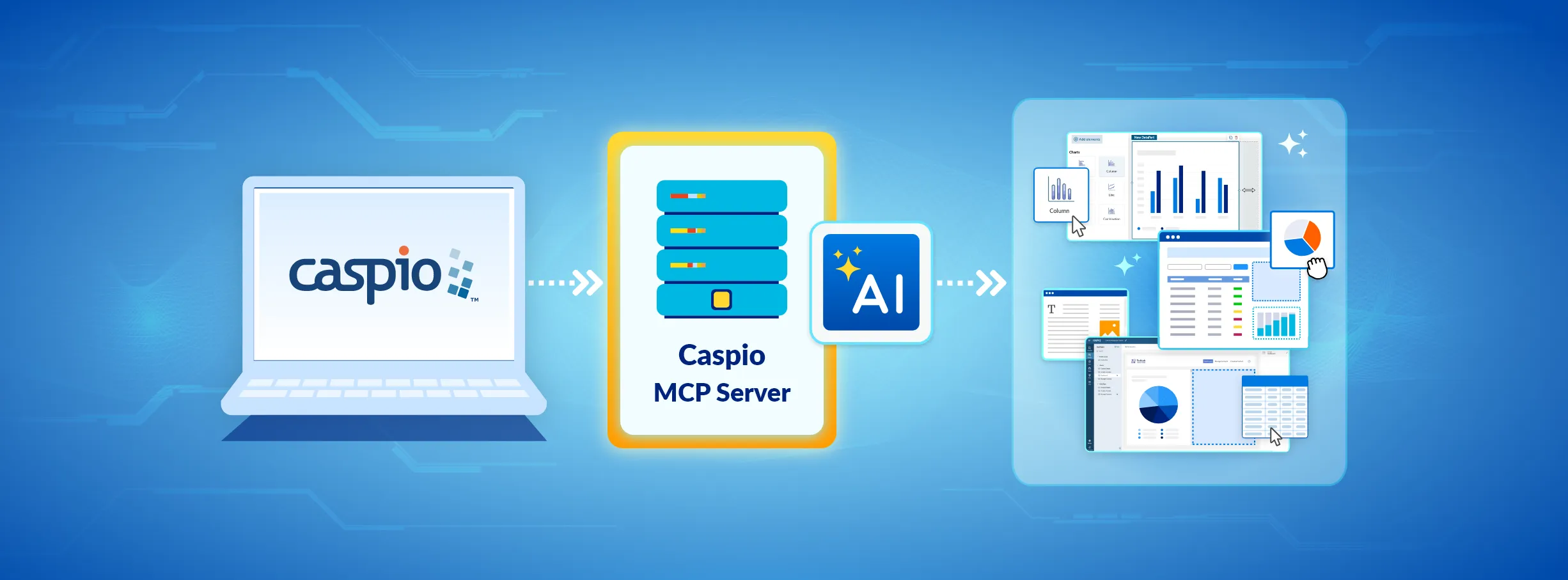
Your Caspio data just got a lot more conversational.
Today we are introducing the Caspio MCP Server, now available in beta to all accounts with API access. It connects your Caspio account to AI assistants like ChatGPT and Claude, so you can interact with your data using plain English instead of building queries, exports, or reports.
Need to know your top-performing accounts last quarter? Want to add a new vendor record? Curious how this month’s numbers compare to the same period last year? Just ask. The AI retrieves the data from your Caspio tables, analyzes it, and gives you an answer you can act on.
What Is MCP?
MCP stands for Model Context Protocol. It is an open standard that allows AI tools to connect securely to external data sources. Think of it as a bridge between your business data in Caspio and the AI assistant on your screen. Instead of copying data into a chat window or building custom integrations, MCP gives the AI structured, permissioned access to your information so it can answer your questions directly.
What You Can Do With It
The Caspio MCP Server supports read and write operations on your Caspio tables. That means you can:
- Query your data in natural language. Ask questions like “Which customers placed more than 5 orders this month?” and get instant answers.
- Create and update records. Tell your AI assistant to add a new contact, update a status field, or log an entry, and it handles the rest.
- Get AI-powered analysis. The AI does not just fetch data. It can summarize trends, flag anomalies, compare time periods, and combine your data with broader context to give you a more complete picture.
- Work across any supported AI tool. Tested on ChatGPT and Claude today, with additional platforms on the way.
Built for Everyone on Your Team
You do not need to be a developer to use the Caspio MCP Server. If you can describe what you need in a sentence, you can get answers from your data. Sales managers, operations leads, finance teams, and executives can all interact with Caspio data through the AI tools they are already using, without learning a new interface or waiting for someone to pull a report.
Getting Started
Setup takes just a few minutes. Create an API profile in your Caspio account, configure which tables and views the MCP Server can access, and connect from your preferred AI tool. You control the permissions, so you decide exactly what data is available and what actions are allowed.
The Caspio MCP Server is available now in beta at no additional cost for accounts with API capabilities.
Part of Our Growing AI Capabilities
The MCP Server joins Caspio’s AI Assistant and GPT Connect as part of our continued investment in making AI practical and accessible for every Caspio customer. Whether you are building AI features into your applications with GPT Connect, using AI Assistant inside the platform, or now querying your data through external AI tools with the MCP Server, Caspio is making it easier than ever to put AI to work on your data.
What Beta Means
The Caspio MCP Server is currently in beta. We are making it available to all accounts with API access so customers can start exploring its capabilities and providing feedback. As with any beta release, you may encounter limitations or changes as we refine the experience. While the MCP Server interacts with live data in your account, we recommend reviewing your API profile permissions carefully and starting with read-only access until you are comfortable with the behavior. Caspio is not liable for any data modifications made through the MCP Server during the beta period. We welcome your input as we work toward general availability.
A Note on Data Privacy
When you use the Caspio MCP Server, your queries and data are processed by the third-party AI tool you connect to. While Caspio maintains its data sovereignty and security commitments within the platform, data sent through the MCP Server is subject to the privacy and data handling policies of the AI provider. We encourage you to review your AI tool’s policies to ensure they align with your organization’s requirements.

Recommended Articles

How to Read Vendor Compliance Claims: 3 Evidence Classes
READ STORY
What a BAA Covers (and Doesn't): HIPAA Guide for App Teams
READ STORY
How to Build an Online Database App Without Coding
READ STORY
HIPAA Compliance for No-Code Applications: A Guide
READ STORY
Tips on Migrating from Microsoft Access to Caspio
READ STORY
Best No-Code Platforms for Business Applications (2026)
READ STORY
Database Design Best Practices: A Practical Guide
READ STORY
Caspio vs. Knack: Which No-Code Platform Scales Better?
READ STORY
Microsoft Access Online: How to Move Your Database to the Cloud
READ STORY
Best HIPAA-Compliant App Builders in 2026
READ STORY
Turn Spreadsheets Into Web Applications
READ STORY
Caspio vs. Power Apps: Which Low-Code Platform Is Better in 2026?
READ STORY
