7 Data-Editing Features in Caspio to Increase Productivity
August 28, 2015
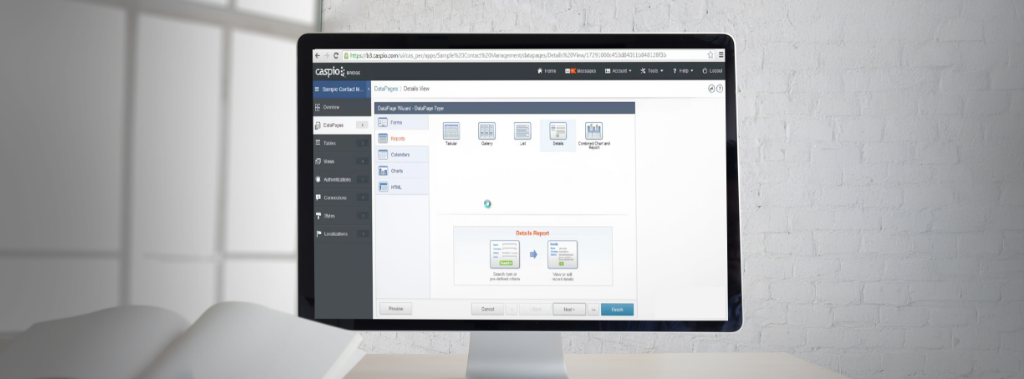
Reports are one of the most widely-used types of Caspio DataPages. In reality, they are not just reports. They are user interfaces to interact with your data in a variety of ways. You can create feature-rich applications using Report DataPages to display, visualize, search, drill down and edit data.
In the last several product releases, we have rolled out a series of features to make editing data in Caspio Reports much more efficient. To help you become more productive using these new options, here is a quick list of features to consider when designing your application:
| Editing Features: | Allows Your Application Users To: |
|---|---|
| Bulk Edit | Select any number of records and update them all at once. For example, in a project management app, a manager can change the status of several tasks to “Complete” at the same time. |
| Grid Edit | Edit all the displayed records in a grid, similar to a spreadsheet. This feature is most useful when you need to edit a large number of records separately. It allows you to modify multiple records on one screen without having to save each record individually. |
| Inline Insert | Add new records at the top or bottom row of the search results. Use this feature to quickly add a new option to a dropdown or another entry to a table. |
| Inline Edit | Edit any record in the search results, one at a time. It’s perfect for small modifications on individual records. |
| Bulk Delete | Select any number of records and delete them all at once. |
| Inline Delete | Delete any record from the search results, one at a time. |
| Editable Details Page | View, edit, or delete individual records on a drilled-down details page. This option provides the most comprehensive way to modify a record. |
You can easily enable any of these options when configuring your Caspio Report DataPage. Watch the video to see how:

All of the data-editing options listed above are standard features included in all Caspio accounts. Read the how-to article for details on how to best utilize each method.
If you are new to Caspio, sign up for a free trial and be sure to take advantage of our free live training to help you get started with your project.

Recommended Articles

Add a Role-Aware AI Chat Agent to Your Caspio App
READ STORY
Lovable Alternatives for Business and Regulated Apps (2026)
READ STORY
Vibe Coding vs. Low-Code: Key Differences and Where Caspio Fits in 2026
READ STORY
Vibe Coding Governance: The IT Leader’s 2026 Checklist
READ STORY
Code Artifact vs. Governed Platform: The Two Architectures
READ STORY
Shadow AI Apps Are the New Shadow IT: A 2026 Guide
READ STORY
Secure Alternatives to Vibe Coding for Business Apps (2026)
READ STORY
AI App Builders for Regulated Industries: 2026 Buyer's Guide
READ STORY
AI and No-Code: Generative AI in App Development
READ STORY
Per-User Pricing vs Flat Rate: The Unlimited Users Math
READ STORY
Rebuild or Retrofit After a Failed Security Review (2026)
READ STORY
The Hidden Costs of Free AI App Builders (2026)
READ STORY
