Announcing Caspio 8.4
November 3, 2014

 We are excited to announce the release of Caspio 8.4 for all new and existing customers. In this version, you’ll find some new features frequently requested by our user community.
The new capabilities are available immediately in all Caspio plans. Read the release notes for details.
Feature Highlights:
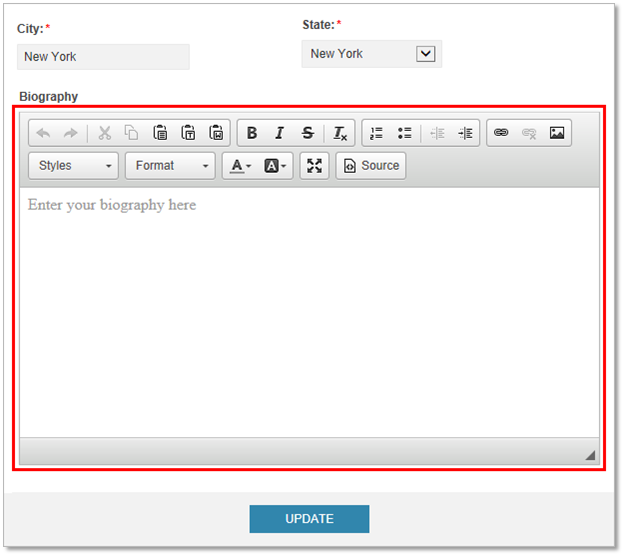
HTML Editor in DataPage Wizard
One of the most popular requests has been a “what-you-see-is-what-you-get” (WYSIWYG) editor to easily format HTML content while building apps in Caspio. The DataPage Wizard now includes an HTML editor to format text, layout, images and links in Headers & Footers, HTML Blocks and automatic emails.

HTML Editor in Deployed DataPages
The HTML editor is also available for Text Area elements in deployed DataPages and can be enabled in all forms and details pages so your app end users can easily submit HTML-styled content.
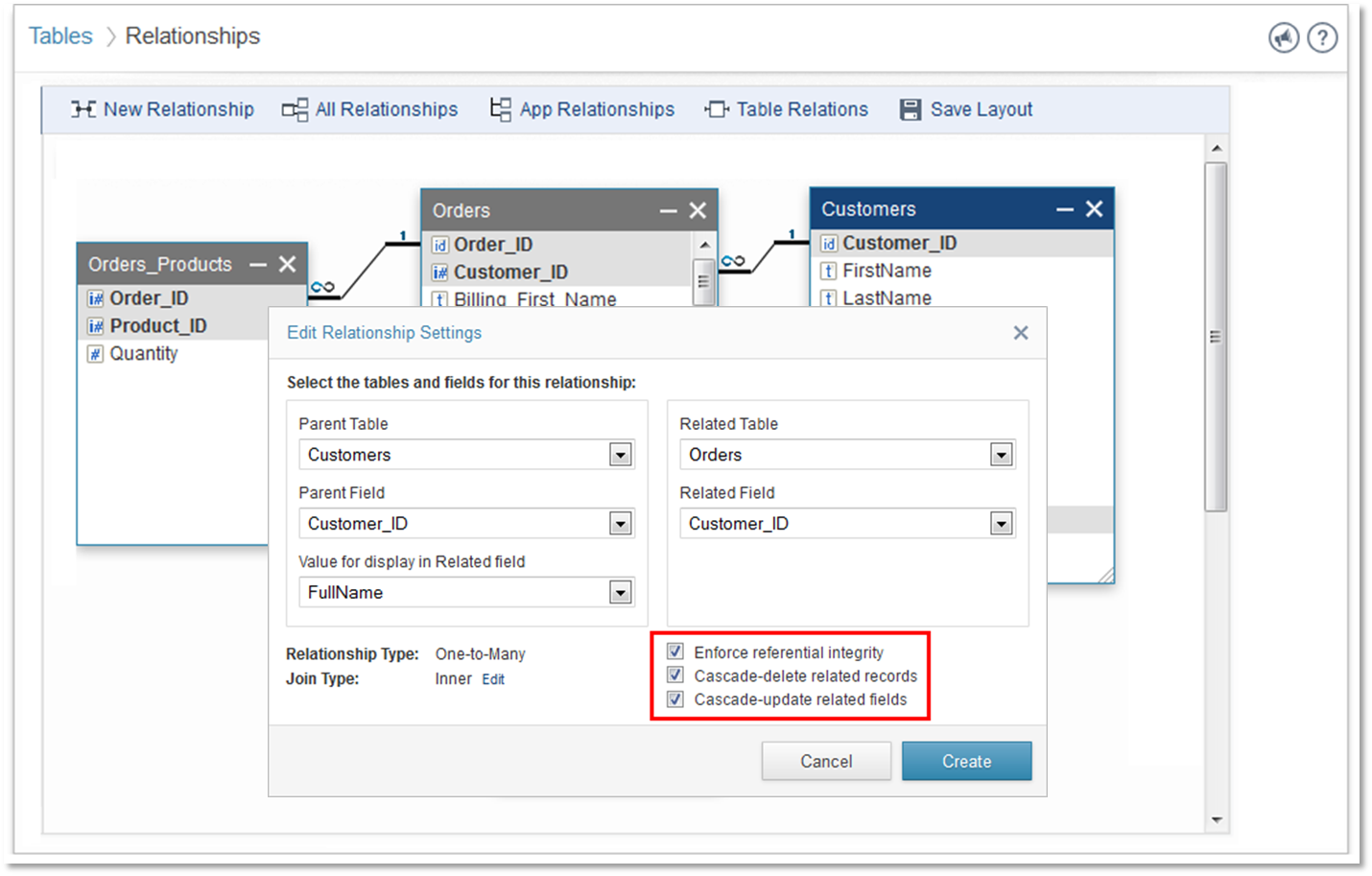
Cascade-Delete and Cascade-Update
If you have created a Table Relationship in Caspio, chances are that you may have used the “Referential Integrity” feature to ensure that every child record remains associated with its parent record. Now with the new Cascade-Delete and Cascade-Update options enabled, whenever an ID of parent records are updated, the corresponding ID in the child records will also be updated. Similarly, if the parent record is deleted, the child records will also be deleted. This is an important functionality in relational databases and it prevents orphaned records from being created. It also sets the foundation for Caspio to build additional functionality in upcoming releases.
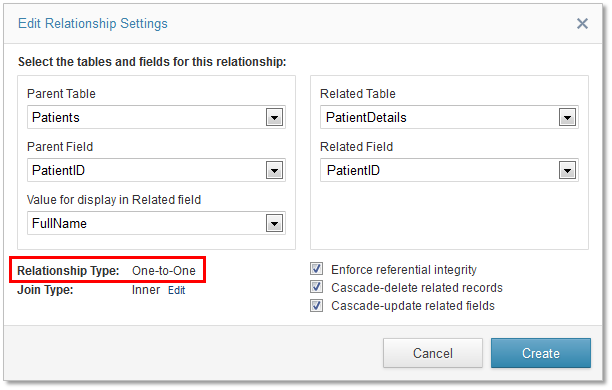
New “One-to-One” Relationship Type
Prior to this release, users were limited to one-to-many relationships in Caspio. Now you can also create one-to-one relationships between your tables.
Read the release notes for details and other smaller enhancements.
We’d love to hear your feedback. Please leave a comment below with your thoughts! Also, don’t forget to post and vote for ideas in our Ideabox.


Recommended Articles

No-Code vs. Low-Code: Key Differences & How to Choose
READ STORY
Top Blaze.tech Alternatives for Business Apps in 2026
READ STORY
Custom Customer Portal Software for Growing Businesses
READ STORY
Best MS Access Alternatives in 2026
READ STORY
No-Code Platforms That Support FERPA Compliance
READ STORY
Introducing AI Solutions in the Caspio Marketplace
READ STORY
Best Quickbase Alternative for No-Code Apps in 2026
READ STORY
10 Must-Have Features Every Custom CRM Should Include
READ STORY
Modern Employee Portal Software for Enterprise
READ STORY
How to Build a Member Portal Using Low Code
READ STORY
Best Zoho Creator Alternative Without Per-User Pricing
READ STORY
HIPAA Database Software: How to Choose a Compliant Platform
READ STORY
